AnimatePresence
컴포넌트가 사라질 때도 애니메이션을 실행하게 해주는 Framer Motion 컴포넌트
function MyComponent({ isVisible }) {
  return (
    <AnimatePresence>
      {isVisible && (
        <motion.div
          key="modal"
          initial={{ opacity: 0 }}
          animate={{ opacity: 1 }}
          exit={{ opacity: 0 }} //AnimatePresence없으면 실행 안 됨!
        >
          🔥
        </motion.div>
      )}
    </AnimatePresence>
  );
}
ex. modal
더보기
const boxVariants = {
  initial : {scale: 0.5, opacity: 0},
  animate : {scale: 1, opacity: 1},
  exit : {scale: 0.5, opacity: 0},
}

function App() {
    const [isOpen,setIsOpen] = useState(false);
    const toggle = () => setIsOpen((prev)=>!prev);

  return (
    <Wrapper>
      <AnimatePresence>
        {isOpen &&
          <Box key="modal"
          variants = {boxVariants}
          initial = "initial"
          animate = "animate"
          exit = "exit"
          >
          모달입니당
          </Box>
        }
      </AnimatePresence>
      <button onClick={toggle} style={{position:'fixed'}}>클릭</button>
    </Wrapper>
+)onExitComplete
<AnimatePresence
  onExitComplete={() => { //퇴장(exit) 애니메이션이 완료된 후 호출되는 콜백 함수
    console.log("퇴장 애니메이션이 끝났습니다!");
    // 예: 모달 상태 초기화
    setShowModal(false);
  }}
>
Custom
동적 값을 전달해 더 유연하게 제어할 수 있도록 해주는 기능
variant 함수에 props처럼 인자를 넘겨주는 방식
const boxVariants = {
  visible: (direction: "left" | "right") => ({
    x: direction === "left" ? -100 : 100,
    opacity: 1,
    transition: { duration: 0.5 },
  }),
  hidden: { opacity: 0 },
};

<motion.div
  variants={boxVariants}
  custom="left"  //boxVariants함수에 "right"인자 보냄 → visible("left")
  initial="hidden"
  animate="visible"
/>
ex. BOX Slider
더보기
const boxVariants = {
  //window.outerWidth + 10
  initial : (back: boolean) => ({ x: back?-300 : 300, opacity: 0, scale: 0 }),
  animate: { x: 0, opacitiy: 1, scale: 1  },
  exit : (back: boolean) => ({ x: back?300 : -300, opacity: 0, scale: 0 }),
}

function App() {

  const [visible, setVisivle] = useState(1);
  const [back, setBack] = useState(false);
  const nextPlease = () => {
    setVisivle(prev => prev === 10 ? 10: prev +1 )
    setBack(false);
  }
  const prevPlease = () => {
    setVisivle(prev => prev === 1 ? 1: prev -1 )
    setBack(true);
  }

  return (
    <Wrapper>
    	{/* 컴포넌트 사라질 때 exit 적용위해 AnimatePresence도 custom값 필요 */}
        <AnimatePresence mode="wait" custom={back}>
          <Box key={visible}
            variants={boxVariants}
            initial="invisible"
            animate="animate"
            exit="exit"
            custom={back}
          >
            {visible}
          </Box>
        </AnimatePresence>
        <button onClick={prevPlease}> Prev </button>
        <button onClick={nextPlease}> Next </button>
    </Wrapper>
  )
};
*<AnimatePresence mode="wait">
이전 컴포넌트가 완전히 퇴장한 뒤에 다음 컴포넌트가 입장 → 입장/퇴장이 겹치지 않음
Layout animation
컴포넌트의 위치나 크기 등이 변경될 때(레이아웃 변화) 부드럽게 전환해주는 기능
- layout은 DOM 요소의 위치, 크기가 변경되는 걸 감지해서 동작
- position: absolute처럼 DOM 흐름에서 벗어난 요소는 레이아웃 애니메이션과 함께 쓰기 어려울 수 있음
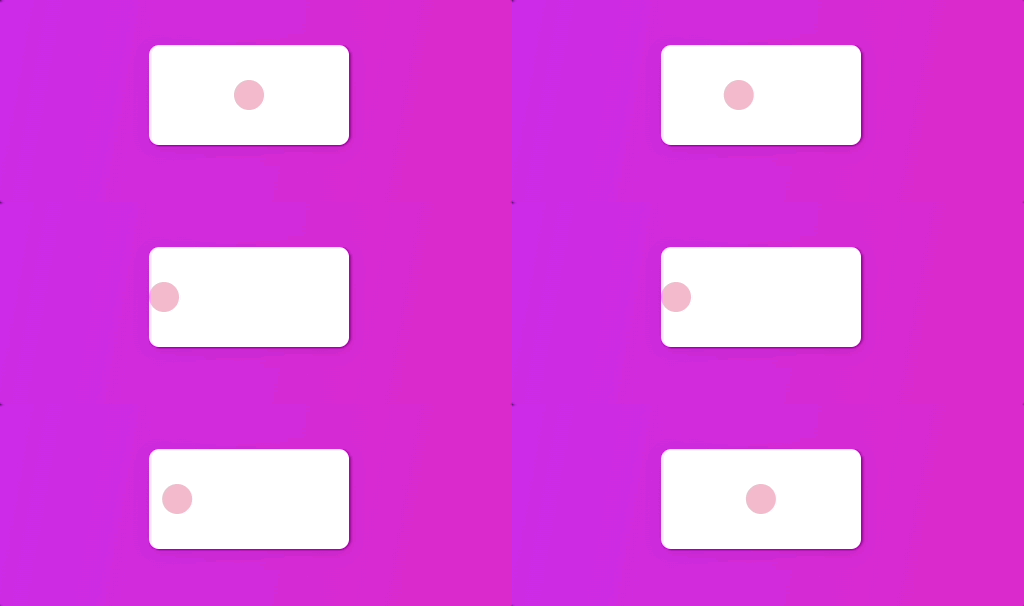
<motion.div layout>
  히히
</motion.div>
const [ clicked , setClicked ] = useState(false);
const toggleClicked = () => setClick( prev => !prev);

return (
  <Wrapper onClick={toggleClicked}>
    <Box style={{ justifyContent: clicked ? "center" : "flex-start"}}>
      <Circle layout/> //딱딱 움직이던게 layout추가시 부드럽게 움직임
    </Box>
  </Wrapper>
)
LayoutId
화면 간 전환 시 동일한 컴포넌트의 레이아웃을 자연스럽게 연결해주는 역할
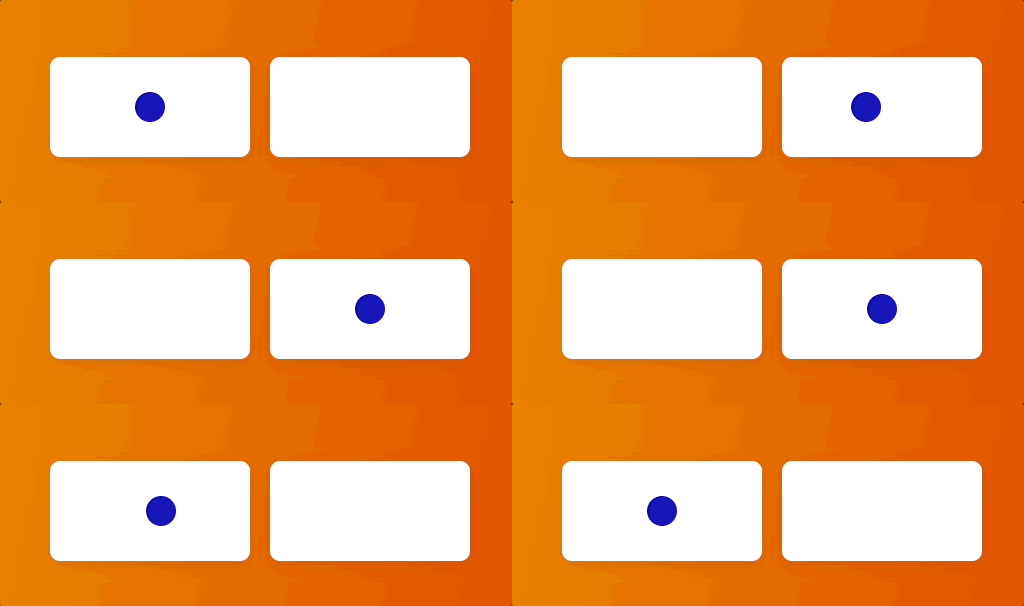
서로 다른 컴포넌트이더라도 layoutId="same" 설정해두면 Framer Motion은 같은 요소로 인식해
위치나 크기 변화를 부드럽게 애니메이션 처리
언제 쓰나?
- 페이지 전환 간에 동일한 UI 요소가 재등장할 때
- 리스트에서 요소를 클릭 → 상세 페이지로 자연스럽게 확장하고 싶을 때
- 이미지 갤러리에서 썸네일을 클릭했을 때 풀스크린으로 부드럽게 전환
const [ clicked , setClicked ] = useState(false);
  const toggleClicked = () => setClicked( prev => !prev );
  return (

  <Wrapper onClick={toggleClicked}>
    <Box>
      {!clicked ? <Circle /> : null}  //{!clicked ? <Circle layoutId="circle"/> : null}
    </Box>
    <Box>
      {clicked ? <Circle /> : null}   //{!clicked ? <Circle layoutId="circle"/> : null}
    </Box>
  </Wrapper>
<Circle/> 을 같은 것으로 연결되어야 한다면? layoutId줘보자
 |
 |
기타
whileHover
whileHover={{ fillOpacity: [1, 0, 1], transition: { repeat: Infinity, }, }}
* 부모에 whileHover 있다면 자식에게 전파됨
//부모에 whileHover="hover"가 걸리면,
<Parent whileHover="hover" variants={parentVariants}> //부모: parentVariants.hover 적용
  <Child variants={childVariants} //whileHover="hover"안해도 자식: childVariants.hover 적용
</Parent>
+) 부모에서 whileHover="hover" 상태 트리거를 받아오기때문에 자식에게만 whileHover="hover" 줄 시 적용안됨
-> 둘다 variants와 whileHover="hover" 추가
- const controls = useAnimation(); : 애니메이션 제어 객체 생성
function MyComponent() {
  const controls = useAnimation();

  useEffect(() => {
    controls.start({ //.start({...}) <-특정 타이밍에 애니메이션 실행
      x: 100,
      opacity: 1,
      transition: { duration: 1 }
    });
  }, []);
					//해당 컴포넌트의 애니메이션을 제어함
  return <motion.div animate={controls} initial={{ opacity: 0 }} />;
}'React' 카테고리의 다른 글
| [React] Framer Motion(1) (0) | 2025.07.02 |
|---|---|
| [React] React-beautiful-dnd (0) | 2025.01.01 |
| [React] React Hook Form (0) | 2024.12.27 |
| [React] Recoil (0) | 2024.12.20 |
| [React] ApexCharts.js (0) | 2024.12.15 |