간단한 애니메이션 : CSS, Styled-Components의 keyframes 사용
-> 참고 : https://bbbpp.tistory.com/161 (keyframes 잘 모른다면)
복잡한 애니메이션: React Transition Group, Framer Motion 같은 라이브러리 사용.
-> 참고 : 주소 수정!!!
사용
기존 방식
//app.css
@keyframes rotate {
    0% {
        transform: rotate(0deg);
    }
    100%{
        transform: rotate(360deg);
    }
}

.rotateDiv {
    animation: rotate 1s infinite;
}

//App.js
import './app.css'

function App() {
	return <div className="rotateDiv">animation</div>
}
Styled-Components방식
import styled, { keyframes } from 'styled-components'; //import

// keyframes를 styled-components로 정의
const rotate = keyframes`
  0% {
    transform: rotate(0deg);
  }
  100% {
    transform: rotate(360deg);
  }
`;

// styled.div로 애니메이션 적용
const RotateDiv = styled.div`
  animation: ${rotate} 1s infinite;
`;

function App() {
  return <RotateDiv>animation</RotateDiv>;
}

export default App;
더알아보자
const rotate = keyframes`
  0%{
    transform: rotate(0deg);
  }100%{
    transform: rotate(360deg);
  }
`;

const Container = styled.div`
  display: flex;
  justify-content: center;
  align-items: center;
  height: 100vh;
`;
const RotateDiv = styled.div`
  animation: ${rotate} 1s infinite;
  span{
    font-size: 30px;
    &:hover { //현재 태그의 hover상태일때 스타일 적용
      cursor: crosshair;
      font-size: 100px;
    }
  }
`;

function App() {
	return(
    <Container>
      <RotateDiv>
        <span>💕</span>
      </RotateDiv>
    </Container>
  )
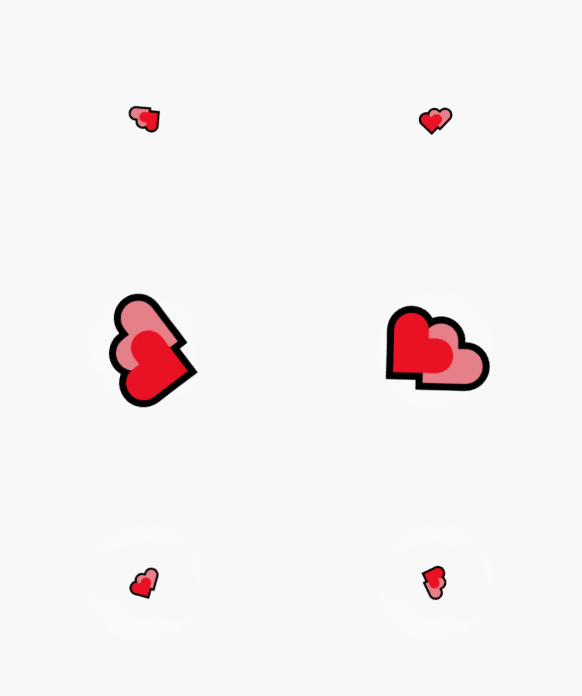
}
태그명이 아닌 컴포넌트로 지정하고 싶다면?
const Heart = styled.span`
	font-size: 30px;
`;

const RotateDiv = styled.div`
  animation: ${rotate} 1s infinite;
  ${Heart}:hover {
    cursor: crosshair;
    font-size: 100px;
  }
`;

function App() {
	return(
    <Container>
      <RotateDiv>
        <Heart>💕</Heart>
      </RotateDiv>
    </Container>
  )
}
ThemeProvider
styled-components 라이브러리에서 제공하는 컴포넌트
- 앱 전체 또는 특정 부분에 일관된 테마를 적용할 때 사용
- ThemeProvider로 앱 전체에 테마 정보를 제공하고, 하위 컴포넌트들은 theme prop(스타일컴포넌트)이나 useTheme훅(일반 컴포넌트)을 사용해 테마 정보 쉽게 접근
- ThemeProvider로 감싼 모든 하위 컴포넌트는 별도의 전달(props drilling) 없이 theme 객체에 접근 가능
사용
1. 테마 정의
2. ThemeProvider 테마 정보 제공
3. 접근
import styled, { ThemeProvider, useTheme } from "styled-components"; //Import

//1. 테마 정의
const theme = {
  primaryColor: 'black',
  secondaryColor: 'green',
}

//스타일드 컴포넌트 정의
const Button = styled.button`
  background-color: ${(porps)=> porps.theme.primaryColor};
  color: white;
  border-radius: 50px;
`;

const ThemedComponent= () => {
  const theme = useTheme();
  return <div style={{ color: theme.secondaryColor }}>우하하</div>;
}

function App() {
  return(
    <ThemeProvider theme={theme}> /* 2. 테마 정보 제공 */
      <Button>클릭!</Button> /* 3. 하위컴포넌트에서 props.theme사용 테마정보 접근 */
      <ThemedComponent /> /* 3. useTheme 훅을 사용 테마정보 접근*/
    </ThemeProvider>
  );
}
다크모드 만들어보자~
const darkMode = {
  bgColor : "#000000",
  textColor : "whitesmoke"
}

const lightMode = {
  bgColor : "whitesmoke",
  textColor : "#000000"
}

const Wrapper = styled.div`
  display: flex;
  flex-direction : column;
  justify-content: center;
  align-items: center;
  height: 100vh;
  font-size: 30px;
  font-family: Cambria, Cochin, Georgia, Times, 'Times New Roman', serif, Tahoma, Geneva, Verdana, sans-serif;
  color:${({theme}) => theme.textColor};
  background-color: ${({theme}) => theme.bgColor};
`;

const Button = styled.button`
  background-color: ${({theme}) => theme.bgColor};
  border: none;
  font-size: 70px;
  border-radius: 50%;
  &:hover {
    opacity:0.8 ;
    cursor: pointer;
  }
`;


function App() {
  const [theme, setTheme] = useState(false);
  const onClick = ()=> {
    setTheme(!theme)
  }
	return(
    <ThemeProvider theme={theme ? darkMode : lightMode}>
      <Wrapper>
        Hello
        <Button onClick={onClick}>{theme ? "🌞" : "🌙"}</Button>
      </Wrapper>
    </ThemeProvider>
  );
}
'React' 카테고리의 다른 글
| [React] 컴포넌트 최적화(1) : useMemo (0) | 2024.12.03 |
|---|---|
| [React] useRef (0) | 2024.12.02 |
| [React] Styled Components (0) | 2024.09.24 |
| [React] Navigation (0) | 2024.09.19 |
| [React] Router (0) | 2024.09.18 |